A booking page, calendar & inbox for your business
Try it here. We set up yours.
Front Desk gives your business a booking page, a calendar and one inbox for every customer.
Book a sample time on this page. Then see where it lands on the owner's side.
Texting and email sending are not switched on yet.
Practice copy on this page. Nothing is sent to anyone.
01 / Your side
One booking. Already on your calendar.
The time you picked is on the calendar and in that customer's thread. Nobody typed anything.
In the sample, the confirmation message is written and saved in the thread, marked "Test mode: not sent".
- A week calendar, day by day
- One thread per customer, with the whole history
- Move, cancel, or mark a visit done or no-show in two taps
- Customers cancel with a private link, and the time opens again
- To change a time, they cancel and book again, or call you
Practice copy. Made-up data. Nothing is sent.
02 / No double booking
Two people. One time. Only one gets it.
Tap both buttons as fast as you can. One customer is booked. The other is asked to pick again.
The real booking page does the same, even when two people tap at the same moment.
- Serve more than one customer at once: set it from 1 to 20
- Each chair or crew fills before a time closes
- A cancelled booking frees its time at once
Practice copy. Made-up data.
03 / Everything in one place
One person. One thread.
Website chat, form messages, bookings and your own notes sit in one thread per person. Open the thread and you know the whole story.
It opens in the browser on your phone, tablet or computer. There is nothing to install.
- One list of all your customers, with tags
- The same person is never added twice
- A chat button for your website, answered by you or your team
- Your website form sends new leads to your inbox
- A list of your open jobs, from new lead to quote sent
- Today's numbers on the home screen
- Private notes only your team sees
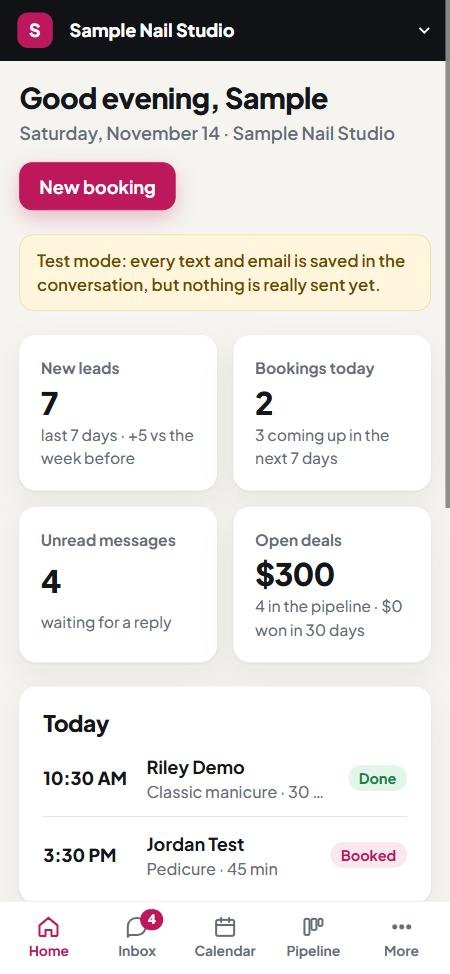
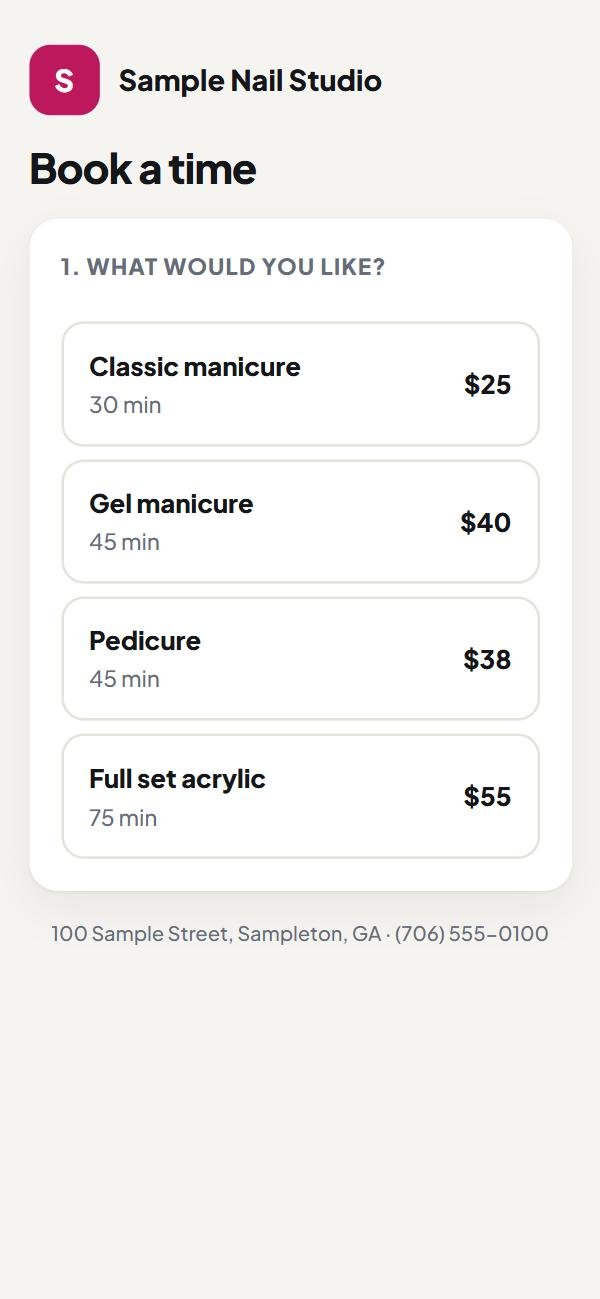
Sample account. Made-up data. Nothing is sent.
04 / Done for you
We set it up. You open it.
There is no sign-up page and nothing to install. The same small studio that builds your website sets this up for your business.
Open the sample account- 01
Tell us how you work.
Your hours, your services, how much notice you need and the days you are closed.
- 02
We build your account.
We enter your services and rules and make a login for each person on your team.
- 03
We connect your website.
Your booking page, chat button and contact form carry your business name and colour.
- 04
You try it first.
You tap through your own booking page before your customers see it, and tell us what to change.
05 / Ready-made messages
Nine messages. Your words.
Not switched on yet
Front Desk comes with nine ready-made messages. You can switch each one on or off and rewrite the words.
Sending by text and email is not switched on yet. In the sample, each message is written and saved, marked "Test mode: not sent".
The nine messages
- Reply to a new lead
- Follow-up after two quiet days, once
- Booking confirmation with a cancel link
- Reminder the day before
- Reminder 2 hours before
- Message after a no-show, with a link to book again
- Review request after a visit
- Alert to you for a new lead
- Alert to you for an online booking
The rules they follow
- Texts go only to people who ticked the permission box or texted you first
- A reply of STOP ends texts to that person
- Follow-ups, no-show messages and review requests wait for 8am to 8pm
- Every automatic email has an unsubscribe link
- A review request goes to the same person at most once in 90 days
- People you bring in from a spreadsheet are not texted until they give permission
Reviews
Same button for every rating.
After rating, every customer sees the same button to your public review page, whatever they rated. Front Desk never hides an unhappy customer.
The rating page works today. The message that asks for the rating is not switched on yet.
Not switched on yet
- BookedConfirmation with a cancel link
- The day beforeReminder
- 2 hours beforeReminder
- The visitYou mark it done
- 2 hours afterReview request
Move a booking and its reminders move with it. Cancel it and they are removed.
06 / Plain facts
What works today. What comes next.
Front Desk is new, so here is where each part stands. We would rather tell you now than surprise you later.
"Works today" means it works in the product and you can try it in the sample account.
Last updated: November 2026
Works today
- Booking page where two people can never get the same time
- Customers cancel online with a private link
- Week calendar, customer list and spreadsheet import
- One thread per person, with private team notes
- Website chat button answered by you, and a contact form into your inbox
- List of open jobs, rating page with 1 to 5 stars, home screen numbers
- A login for each team member that sees only your business
Not switched on yet
- Sending texts and emails. Today they are written and saved, marked test mode
- Texting, which also needs the phone carriers to approve your number first
- Customer replies by text or email arriving in the thread
- Confirmations, reminders, follow-ups, review requests and alerts going out
- One message to everyone with a tag, only to people who allowed it
Not part of Front Desk
- Payments, deposits and invoices
- Phone calls and replies to missed calls
- A website or sales page builder
- Social media posting
- A chat robot. You or your team answer
- Customers moving their own booking online. They cancel and book again
A real business account is set up by us. There is no self sign-up.
07 / The price
A clear price. Before we begin.
We quote the setup and any ongoing costs before work begins.
Add-on to a website package
Front Desk
For businesses that take bookings and want customers, bookings and website messages in one place.
Quoted for your businessone setup cost and one monthly cost, told to you before work begins
Open the sample account- Your account, logins and settings set up for you
- Booking page, chat button and contact form on your website
- A login for each person on your team
- Nine ready-made messages, saved until sending is switched on
Text and email sending is not switched on yet. When it is, texting starts only after the phone carriers approve your number.
Front Desk does not take payments from your customers. Prices on your booking page are shown for information.
Not a website customer yet
Start with the website.
08 / Before we begin
A few things worth knowing.
When can I text my customers?
Texting is not switched on yet. It is set up per business, and the phone carriers must approve your number before any text goes out. We do not promise a date, because the approval is theirs to give.
What happens to my data?
Each login sees only its own business. Passwords are stored scrambled, and eight wrong tries lock that email for 15 minutes. People you bring in from a spreadsheet are not texted until they give permission. There is no export button yet.
Can I keep my current website?
Front Desk is an add-on to a website we build or manage. If someone else built your site, talk to us first.
How long does setup take?
The booking page, calendar and inbox need no outside approval. Texting waits for the phone carriers, and we do not control how long they take.
Is it in my language?
The screens are in English. You can rewrite every automatic message in the language your customers speak.
Can it take payments or answer my phone?
No. Front Desk does not take payments, deposits or invoices, and it does not make or take phone calls. Prices on the booking page are for information only.
Do I need to download an app?
No. Front Desk opens in the browser on your phone, tablet or computer, like any web page. There is nothing to install.
09 / See it for yourself
Open the sample. Tap everything.
The sample account holds two made-up businesses and made-up customers. Nothing you do in it reaches a real person.
- 1Open the sample account.
- 2Tap "Sign in to the sample account".
- 3Look around: calendar, inbox, open jobs.